9 Best AI Tools for Detecting Dishonest Responses During Video Interviews
In 2026, AI agents and chatbots will make everyday life easier. But they also create problems when hiring candidates for every position. Video interview fraud is becoming a major hiring problem. Companies offering video interviews are now looking for AI tools to detect dishonest responses.
Candidates use real-time AI assistants, rely on additional devices, use deepfake media, and access unauthorized browser resources. When candidates ask a complex question, they give an accurate answer not because they know it, but because AI gives it to them.
The human brain’s creativity is gone because AI responds faster. No company will hire someone who has no communication skills, cannot solve complex problems, and lacks critical thinking and creativity.
AI fraud-detection tools can flag suspicious responses, verify the candidate’s ID, detect voice changes, behavior changes, tab switching, unauthorized application use, plagiarism, and other integrity risks during the video interview.
In this guide, I compare the best AI tools for detecting dishonest responses during video interviews based on their features, what they detect for fraud and evidence, and their support for interview formats and limitations.
How AI Interview Fraud Happens, and What Detection Tools Can Actually See
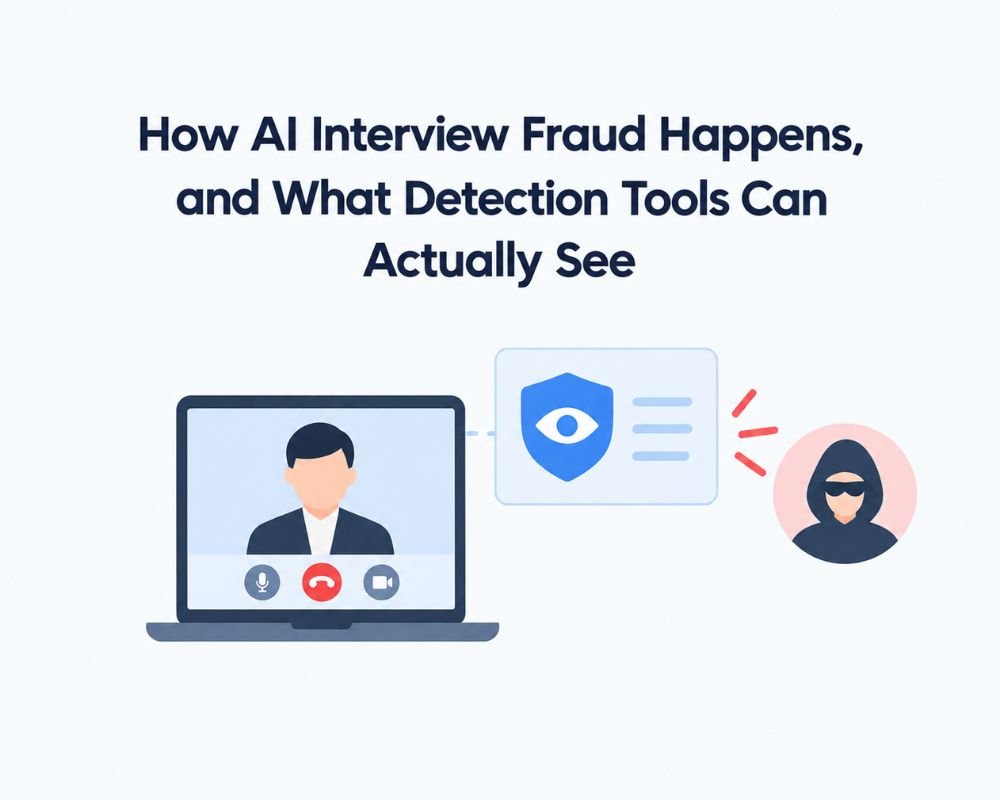
AI made interview preparation easier, but many candidates use it illegally to pass interviews by using AI interview cheating methods to get unauthorized assistance. Video interview fraud can involve opening another browser, using other AI assistants or interview-cheating tools, using deepfake voices, or having another person take the interview.
An interview-cheating survey of “19,368 AI-powered interviews” says 38.5% of all candidates show signs of using AI-assisted tools during interviews; technical candidates show a 48% cheating rate. But it gets worse when it increases in September 2025, 3x overnight.
Without a detection tool, there is a 61% chance they pass the interview and get hired, but their communication and technical skills aren’t enough to deliver sales or any tech benefits for your company.
To streamline your workflow with AI tools, explore our best apps for teachers in 2026 to easily plan lessons, grade, and manage your classroom.
For recruiters, the key isn’t just finding the right answer; candidates can give answers in 3 seconds, which seems great, but when AI detects it, they cheat in interviews. Not every HR team detects eye movement outside the camera or external devices in the candidate’s hand.
A fraud detection tool can identify the type of cheating a candidate uses during an interview. According to Greenhouse Research’s AI interview report, they found that “recruiters reported candidates use AI in resumes 63%, fake references 48%, live AI use during interviews 35%, wrong time zone and other person answers 31%, and deepfake use 18%.”
Here are some common types that HR should analyze.
| Fraud method | What may happen | What detection tools can potentially see |
| Real-time AI assistance | The candidate receives AI-generated answers while responding | Browser, screen, application, or activity signals where monitoring is enabled |
| Off-camera coaching | The other person gives them an answer. | Additional voices or unusual audio signals |
| Unauthorized browser activity | Candidate searches Google, ChatGPT, or other websites | Tab switching, browser activity, or window violations |
| Candidate impersonation | Another person completes the interview. | Identity verification, face matching, or voice matching |
| Deepfake use | Candidates use AI voice and face during interviews. | Identity and deepfake-related signals, depending on the platform |
| Additional devices | A phone, tablet, or another computer assists. | Device or environment monitoring where supported |
| Copied technical work | The candidate uses friends’ code or answers | Plagiarism checks and assessment-integrity signals |
AI-Assisted Answers
A candidate can use an AI assistant to create or develop answers during a live or recorded interview. This can lead to more polished answers than the candidate would.
This can make them look better than he or she actually are.
But it is hard to detect the AI assistance itself. A good or unusual answer is not enough to establish that AI was used. Instead, recruiters should gather evidence of activity with questions that prompt candidates to share their thinking, decisions, compromises, or real-world experience.
Off-Camera Coaching and Additional Voices
Interviews can include an off-camera moderator who can answer questions or prompt the interviewee without being part of the recording. Some platforms handle this by listening for additional voices in the audio.
For example, Interviewer.AI documents third-party voice detection, and Talview describes voice matching and monitoring. These indications can help identify situations that should be investigated, but they do not automatically mean misconduct; the situation may have a legitimate explanation.
Unauthorized Browser or Screen Activity
During an interview or assessment, candidates are allowed to open another browser window or tab, search for information, copy and paste text, or use an unauthorized app.
Depending on the platform, recruiters can access tab-switch alerts, browser focus tracking, screen recording, limited app monitoring, or copy/paste monitoring. HackerEarth, Glider, and TestGorilla document different types of browser, screen, video, or assessment-integrity monitoring.
A significant problem with these controls is that what they can check depends on what the software can see. They can’t ensure that all external device support is identified.
Impersonation and Deepfakes
AI in interviews isn’t limited to improving responses. AI interview fraud doesn’t stop at better answers. A candidate may use another person’s identity or could fake facial expressions or voice responses in a remote interview.
That’s why it’s important to consider identity verification and AI-answer detection as separate challenges. Identity verification can confirm the participant is who they claim to be, and deepfake checks can flag suspicious manipulation. HireVue and Talview capture features that mitigate identity and fraud risks.
What Detection Tools Can’t Prove
The biggest difference between a suspicious signal and proof of cheating is that proof of cheating is not suspicious.
When a candidate’s back is turned away from the camera, it doesn’t necessarily mean they are reading an answer. There could be a valid reason for the tab switch. A pause may simply indicate that the candidate is thinking. An extra voice may not indicate a candidate is being secretly coached.
The proper hiring process should thus go in this order:
Flag → Inspect evidence → Ask consistent follow-up questions → Make a human decision
Repeat steps 2-4 until you achieve the desired behavior.
This reduces the chance of rejecting qualified candidates based on purely automated alerts and maintains a space where AI-based interview monitoring is used as a decision-support tool, not an unquestioned judge. To see how technology supports teamwork, explore our guide on ed-tech for teacher collaboration.
Compassion Table for fraud detection tools during video interviews
| Tool | Best for | Identity verification | AI/deepfake & fraud signals | Browser/device monitoring | Audio/video monitoring | Main limitation |
| Glider AI | Structured hiring + technical assessments | ✅ | ✅ Fraud-related signals | ✅ | ✅ | Features vary by workflow/configuration. |
| HackerEarth | Technical hiring & coding interviews | ✅ | ⚠️ Assessment—integrity signals | ✅ | ✅ | Primarily technical/assessment focused |
| Proctorio | Online assessment proctoring | ⚠️ Assessment-focused | ⚠️ Proctoring signals | ✅ | ✅ | Not primarily a video-interview solution |
| TestGorilla | Skills assessments & anti-cheating | — | ⚠️ Behavioral/anti-cheating signals | ✅ | ✅ Webcam | Flags concerns; does not prove intent |
| HireVue | Enterprise video interviewing | ✅ | ✅ Fraud/deepfake-related protections | ⚠️ Depending on workflow | ✅ | Confirm capabilities in selected workflow |
| Talview | Candidate verification & interview proctoring | ✅ | ✅ Fraud/deepfake-related protections | ✅ | ✅ Face/voice | Identity checks don’t prove AI assistance |
| Interviewer.AI | AI-led interviews | ⚠️ | ✅ Security signals | ⚠️ | ✅ Third-party voice detection | Security flags require human review |
| iMocha | Skills assessments & technical interviews | ✅ | ⚠️ Integrity signals | ✅ Window violations | ⚠️ | More assessment-focused |
| Mercer Mettl | Proctored assessments | ⚠️ Assessment-focused | ✅ AI-assisted proctoring | ⚠️ | ✅ Audio/video analytics | Confirm live/recorded interview compatibility |
The original text was already in table format, but the last row broke the table because “Mercer | Mettl” contained a pipe character, which Markdown reads as a column divider. I changed it to “Mercer Mettl” so the row lines up with the other columns.
9 Best AI Tools for Detecting Dishonest Responses During Video Interviews
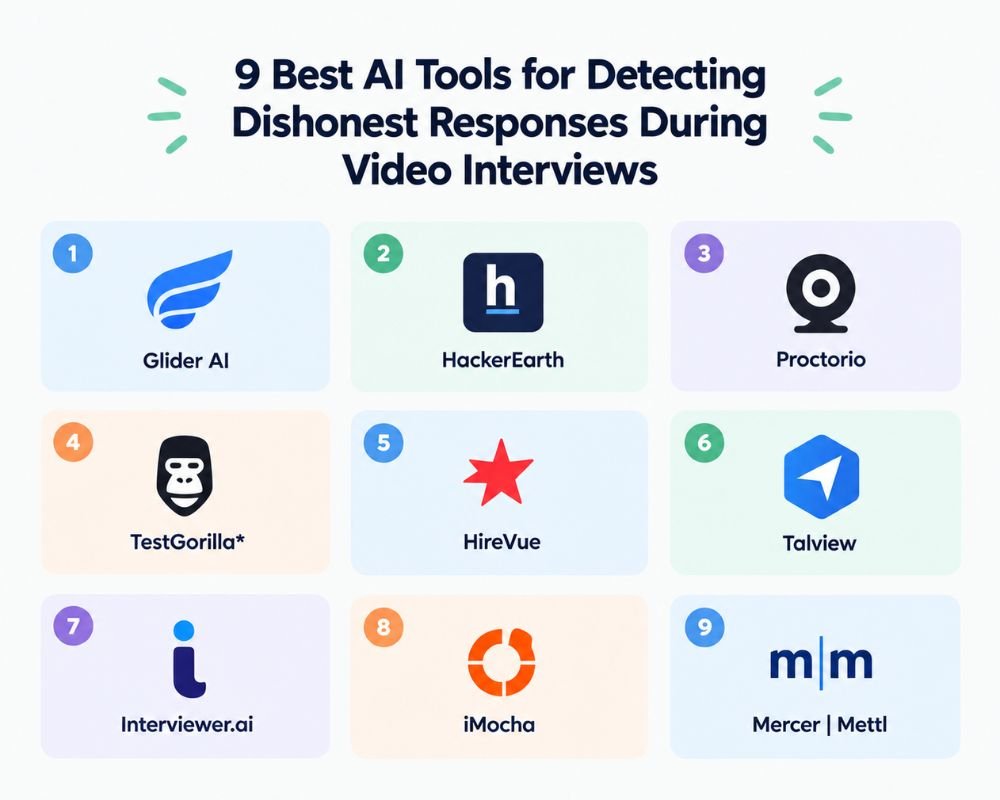
Using tools to detect fraud in interviews is essential because 91% of recruiters say candidates use different AI tools during their AI hiring process. Understanding asynchronous vs. synchronous learning can help you see why some fraud detection tools work in live interviews and others in recorded assessments.
Here are the tools that I provide you with our research data.
1. Glider AI
Ideal for: Formal job interviews, skill tests, and more comprehensive background checks.
How does it detect dishonest answers?Glider AI integrates interview and assessment workflows with identity verification, proctoring and fraud monitoring. Recruiters can leverage these controls
to detect suspicious activity in candidate identity, screen behavior, video, and assessment performance, depending on the product and workflow.
It’s not just about analyzing if it’s AI-generated. It aims to gather several signals that could suggest that the interview/assessment was not conducted in the prescribed environment.
Key features
- Interview and assessment workflows powered by AI.
- Candidate identity verification
- Proctoring and integrity monitoring should be rethought.
- Video/screen monitoring.
- Fraud-related reporting
- Technical assessment capabilities
- Structured candidate evaluation
How it works
A recruiter arranges an interview/assessment and activates the appropriate integrity measures. The platform can gather identity, activity, and assessment signals during the candidate’s session. These can then be considered along with the candidate’s answers and behavior.
When video interviews are used alongside technical or skills assessments, Glider is especially useful because it captures conversation details alongside the skills and performance being demonstrated.
Limitations
Glider’s capabilities may change depending on the product, configuration, and evaluation mode. It doesn’t automatically mean that it’s a fraud signal. Review the available evidence and confirm concerns with follow-up questions for the candidate.
Why use Glider AI?
If you need a hiring and assessment environment that combines identity and integrity controls, choose Glider. It is especially useful in technical hiring, where answers can be supplemented with practical tests.
2. HackerEarth
Ideal for: Technical job postings, coding interviews, and proctored tests.
How it detects cheaters
HackerEarth takes great care to maintain assessment integrity in technical recruitment. It offers browser, audio, and video proctoring; identity verification; and plagiarism checks.
These signals can assist recruiters in technical interviews to detect aspects of the candidate’s behavior like copying solutions, suspicious behavior, or unauthorized browser use.
Key features
- Browser proctoring
- The use of audio and video monitoring.
- Candidate identity verification
- Plagiarism checks
- Technical assessments
- Coding interviews
- Solutions/explanation and follow-up capabilities
How it works
Recruiters design a technical evaluation or interview and set up the proper monitoring controls. HackerEarth can track relevant activity on the browser, audio, video, and coding throughout the session.
This is particularly handy for candidates who need to show they know the solution personally. When an assessment yields an unusual result, asking candidates what they were thinking as they did it can give you additional evidence when analyzing the results.
Limitations
For the most part, HackerEarth is a great platform for technical and coding recruitment, but it may not suit organizations seeking a one-size-fits-all video-interview fraud solution. The monitoring controls available may also depend on the interview or assessment format.
Why choose HackerEarth?
When you’re mainly concerned about technical interview integrity, select HackerEarth. Features such as coding assessments, proctoring, plagiarism detection, and solution explanations can make it more helpful than a video-only behavior tool.
3. Proctorio
Ideal for: Remote exam supervision and candidate exam monitoring.
How to identify dishonest activity.
Proctorio is not a video-interview fraud detector; it’s a tool for proctored online interview assessments.
It monitors the environment for activity that could contravene the test’s defined rules. Depending on the environment setup, proctoring can help detect suspicious activity during an online interview test.
Key features
- Online assessment proctoring
- Candidate activity monitoring
- Browser-based assessment controls
- Automated integrity signals
- Configurable assessment restrictions
- Reviewable session evidence
How it works
The candidate takes the assessment online, and the computer-based proctoring tools track the test environment. Some activity may occur that isn’t normal, which can trigger signals for later review.
Recruitment teams can add value by pairing it with a separate skills or knowledge test. But it shouldn’t be offered as a standalone solution for catching AI-generated answers to job interview questions.
Limitations
The greatest constraint is scope. Recruiters need to ensure Proctorio’s features and integrations fit their video-interview workflow before choosing it, since it is mainly an online assessment proctoring platform.
Why choose Proctorio?
Use Proctorio when you rely heavily on proctored online assessments in your recruitment process and need more stringent testing-environment controls. It is not ideal if your goal is to detect AI assistance during an interview, since it cannot distinguish between AI-generated content and human voice.
4. TestGorilla
Ideal for: Skills evaluation and assessing potential issues with assessment integrity.
How it can identify dishonesty
TestGorilla includes several anti-cheating and assessment integrity checks designed to detect activity that might warrant further investigation.
The controls vary based on the assessment configuration: webcam snapshots, full-screen tracking, tab-switch detection, paste detection, and behavioral monitoring.
Importantly, these signals are potential concerns, not proof that a candidate intentionally cheated.
Key features
- Webcam snapshots
- Full-screen monitoring
- Tab-switch detection
- Paste detection
- Anti-cheating controls
- Behavioral signals
- Skills assessments
How it works
The recruiter sets up the assessment, then enables the appropriate integrity controls. TestGorilla observes certain behaviors during the candidate’s session and may flag activity that is outside of normal testing scenarios.
Then the recruiter can browse through all the evidence rather than relying on a recruiter alert.
Limitations
TestGorilla’s monitoring signals can’t prove intent without further context. For instance, switching tabs or acting out in some way may be for a perfectly good reason. Recruiters should therefore investigate flagged events and follow up with questions or other tests, as applicable.
Why choose TestGorilla?
If you want skills testing alongside real-time anti-cheating features, choose TestGorilla. It can be particularly helpful for companies that want to assess a candidate’s skills rather than their written responses to interview questions.
5. HireVue
Ideal for enterprise hiring, structured video interviewing, and layered candidate integrity screenings.
How it identifies dishonest responses
By addressing identity, environment, behavior, and responses, HireVue broadens its scope of interview integrity.
It has been reported to perform identity-related checks and controls to detect potential fraud or deepfake risk. Instead of relying on a single signal, the platform may give recruiters context to use when reviewing a candidate.
Key features
- Video interviewing
- Candidate identity verification
- Interview integrity controls
- Environment-related signals
- Behavioral monitoring
- Fraud detection capabilities
- Deepfake-related protections
- Enterprise hiring workflows
How it works
The candidates record the pre-recorded video interview, and HireVue’s systems capture the appropriate integrity and interview signals. When unusual activity or identity concerns are found, recruiters may review evidence of that activity alongside the rest of the candidate evaluation process.
The multilevel approach is crucial because interview fraud comes in many forms, such as AI-generated responses, candidate impersonation, or deepfakes, and different methods are needed to detect them.
Limitations
Automated signals cannot prove that a candidate knowingly and intentionally misled the process. Before rejecting a candidate, a recruiter should review the evidence and follow up consistently.
Organizations also need to validate the integrity and fraud-prevention features included in their selected HireVue workflow or plan.
Why choose HireVue?
If you’re looking for a video interviewing system for enterprise that provides layers of candidate and interview integrity controls, not just an AI-answer detector, then choose HireVue.
6. Talview
Ideal for: Remote interviews and assessments with layered proctoring and candidate verification.
How does it detect dishonest answers?
Talview’s identity verification and monitoring features help you detect potential integrity issues in remote recruitment.
It includes controls such as identity verification, continuous face and voice matching, device monitoring, and interview or assessment proctoring mechanisms.
This is especially important when recruiters worry about candidates impersonating themselves, having others join the interview, or using unauthorized devices.
Key features
- Identity verification
- Face matching
- Voice matching
- Device monitoring
- Interview proctoring
- Assessment proctoring
- Fraud-prevention controls
- Deepfake-related identity protections
How it works
Identity verification is the first step in a candidate’s process. Talview can detect potential inconsistencies based on face, voice, device, and activity signals during the interview or assessment process.
For instance, if the person on camera changes or voice activity increases, that may signal something to consider.
Limitations
Monitoring depends on the specific interview and assessment setup. One issue with detecting AI-generated answers is that verifying identity doesn’t necessarily mean the candidate used AI assistance.
Why choose Talview?
Use Talview when verifying identities and conducting interviews are significant concerns. This is especially important for organizations hiring remotely at scale, where impersonation and cheating coexist and must be addressed.
7. Interviewer.ai
Ideal for: AI-driven interviews and secondary interview security indicators.
How it detects dishonest behavior
Interviewer.AI also uses AI-led interview workflows and includes security-related signals that can help detect suspicious activity.
A key function recorded in the study is third-party voice detection, which would enable the robbery to be recognized when someone else is involved in or supporting an interview.
Another factor to consider is that the platform also distinguishes between security-related flags and its AI interview scoring.
Key features
- AI-led interviews
- Automated candidate questioning
- Third-party voice detection
- Security-related interview flags
- Video interview analysis
- Candidate evaluation
- Automated interview workflows
How it works
The candidate responds to questions that are automatically presented and collected in a computer-aided interview using artificial intelligence. During the session, security mechanisms may detect signals of interest that could indicate other voices.
Security flags can then be examined separately from the candidate’s interview rating.
Limitations
A security flag does not necessarily mean a candidate cheated. There might be another voice, for instance, with a proper justification. Interviewer. The documented AI approach supports human review of security flags before reaching a conclusion.
It should also not be used as a catch-all solution for all types of AI assistance.
Why choose Interviewer.AI?
Choose Interviewer.AI if you want to automate interviews while using security signals to flag potential third-party help. It is especially helpful for companies transitioning to a scalable, AI-driven first-round interview process.
8. iMocha
Ideal for: Skills tests, technical interviews with monitoring.
How it is able to identify dishonest activity
iMocha strongly emphasizes skills validation and includes monitoring options to ensure the integrity of your assessment and interview.
Controls such as window-violation detection and candidate identity verification can help recruiters identify activity outside the expected interview/assessment setting.
Key features
- Skills assessments
- Technical interviews
- Candidate identity verification
- Window-violation detection
- Online proctoring
- Technical skill evaluation
- Interview monitoring
How it works
Recruiters set up a skills check or a technical interview with the appropriate monitoring controls. iMocha can identify deviations from the desired testing environment during the session, such as unauthorized window activity.
These events give recruiters an opportunity to investigate and avoid concluding that the candidate cheated. In the pre-hire process, human review and follow-up remain important.
Limitations
iMocha is skills-focused and technically oriented, so the monitoring features should align with the type of video interview or assessment the recruiter will conduct.
Why choose iMocha?
If you’re looking for skills validation plus identity and integrity protection, select iMocha. It can be especially helpful when assessing candidates for technical jobs that require them to showcase their skills in a controlled environment.
9. Mercer | Mettl
Ideal for: Proctored exams and video recording.
How it identifies dishonest behavior
AI proctoring and audio-video analytics help identify potential integrity concerns during supported online assessments at Mercer | Mettl.
Key features
- Remote proctoring
- Audio-video monitoring
- Assessment-integrity controls
- Monitored online testing
- AI-assisted proctoring
- Audio-video analytics
How it works
The platform tracks the behavior of candidates taking supported online assessments and can alert you to indicators that may need investigation. This adds an extra layer of control when an organization uses formal evaluations for hiring.
Limitations
As an assessment-based solution, remember that Mercer | Mettl supports more than recruitment interviews, and recruiters should choose the configuration that best fits their live or recorded recruitment interview workflow.
Why use Mercer | Mettl?
If you are currently utilizing structured online assessments for your organization, and you need proctoring and audio-video monitoring integrated into the assessment, then choose Mercer | Mettl. It is most useful in a larger monitored assessment workflow that includes interview integrity.
Use AI Fraud Detection to Make Great Hiring Decisions
A good AI fraud detection system is not a hiring judge but a tool to assist with the investigation. By following a consistent process, HR teams can minimize false positives:
- Explain to candidates what monitoring is and the reasons for its use.
- Establish what constitutes suspicious behavior before interviews.
- Do not turn down a candidate because of one automated flag.
- Analyze the evidence, such as video, audio, and activity logs.
- Maintain the same follow-up questions to confirm concerns.
- Make reasonable accommodations as needed.
- Retain human reviewers at the end decision point.
- Regularly examine false positives and complaints to detect issues.
The basic idea is to use AI to assist in investigations, not to make decisions.
Conclusion
With the introduction of AI, candidates can now prepare for and take remote exams, increasing the threat of video interview fraud for recruiters and hiring teams.
Candidates can use unauthorized browser resources, receive off-camera coaching, use additional devices, or attempt impersonation with manipulated audio or video during the test.
AI tools for detecting dishonest responses for video interviewing can mitigate these risks by verifying identity, monitoring browsers and devices, analyzing audio-visual content, proctoring, checking for plagiarism, and identifying other integrity signals.
These are not all-purpose lie detectors, though. They also have different levels of capabilities: some are video interviewing, some are technical assessment, some are online testing, and some are candidate verification.
The best way to handle automated alerts is to view them as a red flag that indicates a situation that needs investigation, not an admission of wrongdoing. Before deciding, the recruiter should review the evidence, ask the same follow-up questions, and consider the candidate’s performance.
When assessing a platform, consider the nature of the fraud you want to tackle, whether interviews are live or asynchronous, what evidence the platform offers, and whether the monitoring suits your privacy and accessibility needs. Human review should continue, especially when an automated signal has a valid cause.
In the end, the idea does not want to be to make the interview more suspicious or invasive. The goal is to establish an equitable, data-driven hiring process in which technology can ensure the integrity of candidates but won’t decide hiring on their own.