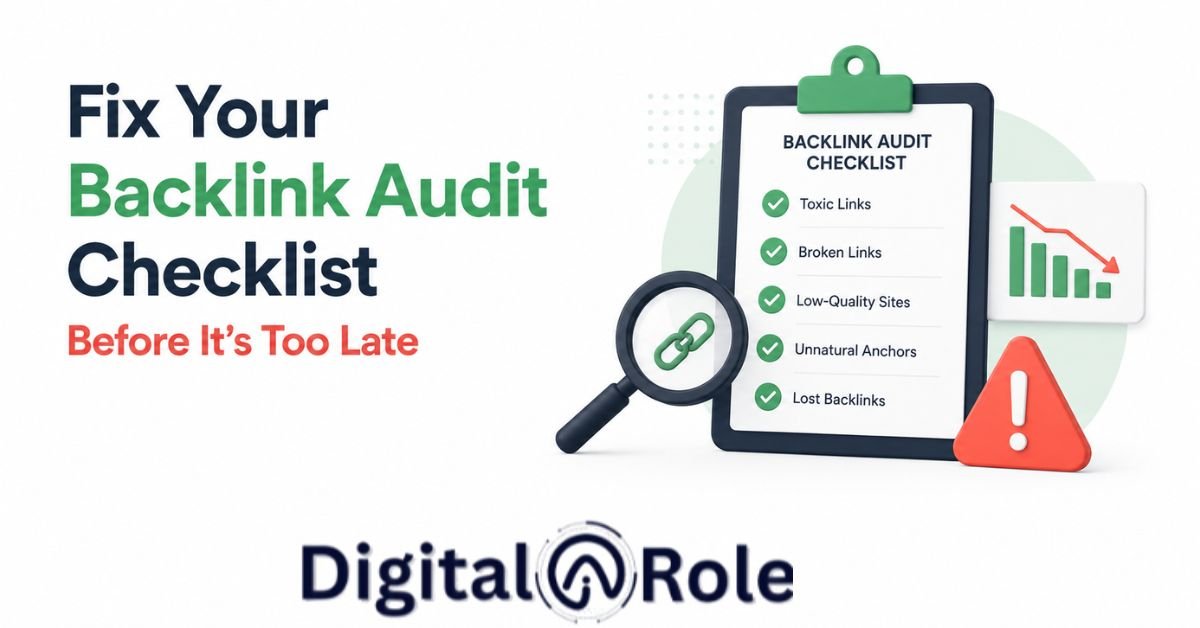
Fix Your Backlink Audit Checklist Before It’s Too Late
As SEO specialists, we sometimes miss small things we see as not mattering, but later they hurt us and our website. Same as when you’ve conducted a backlink audit. Maybe last quarter or last month. But what if this harms your website at night and you missed something critical?.
You see the domain authority check and spam score, but those links still hurt your website rankings because you do not focus on the backlink audit checklist, which helps maintain a site’s health by analyzing good or bad links and removing them.
The SEO specialist ran a backlink audit and thought their cleanup was complete. But three weeks later, their site traffic dropped 28% because they never implemented the step-by-step backlink audit checklist, which is not correlated with the new link velocity of Google Analytics 4 traffic patterns.
In this article, I solve your backlink audit problem and fix spammy and low-quality backlinks. Instead of falling into toxic patterns, implement real strategies that most SEO beginners miss. I’ll walk through how you remove the links through Google Console and what your analytics tells you.
You don’t have a problem with auditing. You have a problem with verification. And we solve it today.
Why Your Current Backlink Audit Checklist Is Outdated
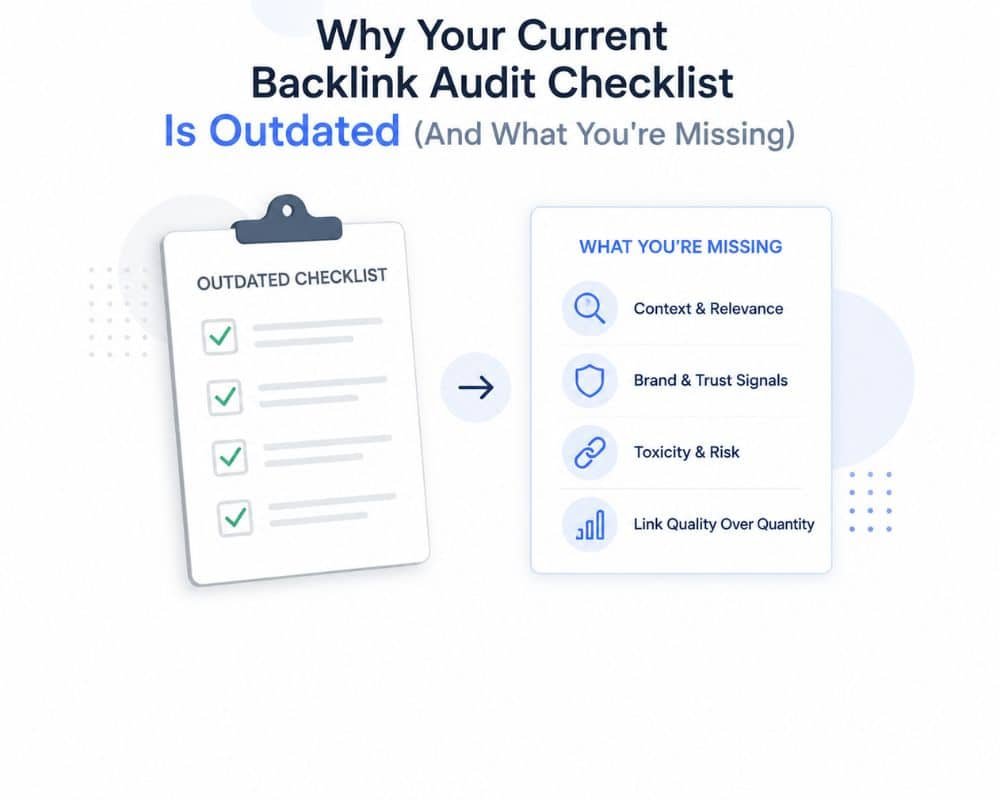
You may follow the 2022-23 checklist for backlist, which does not work in 2026. You need to conduct a comprehensive backlink audit to stay up to date on industry trends and Google penalties.
The Gap Between Generic Checklists and Real SEO Performance
Traditional checklists state what a toxic link is, but they do not consider when it came through. To determine the true cause of a ranking decline, however, modern audits require confirmation of link footprints and GA4 traffic patterns to avoid accidentally losing helpful links.
Anchor Text Drift (The Composition Gap): The new 2025–2026 ratio is being carefully tracked. Usually, a natural profile has 60-70% branded anchors, 10-20% exact match, and 20-30% generic/naked URLs. Google considers it manipulation if exact-match keywords account for 50% or more, regardless of whether the source domains are legitimate.
Velocity analysis (speed gap): The legacy checklists are uniform across all new links. Modern schemas consider velocity a key indicator of toxicity. Algorithms automatically alert you to unnatural spikes, like a site with 5 new referring domains/month going to 50 new ones.
The need for urgent adaptation in 2025-2026.
Google has recently revamped how it evaluates backlink profiles. Recently, Google implemented a series of algorithmic changes that have altered how backlink profiles are viewed. The engine now puts a great emphasis on the process of how links are gained, rather than what links are gained, with three pillars being emphasized:
Natural Acquisition Patterns: More gradual, predictable link growth beats out campaign spikes.
Topical Authority Alignment: The context must be relevant, and an authoritative tech blog linking to a fitness site would not be as influential as an authority site in the fitness niche.
User Behavior Signals: Links that actually drive real referral traffic and clicks are valued much more than those that are just sitting still.
To mark this change in the industry, 62% of SEO professionals in 2026 say they focus on link quality assessment techniques that specifically measure velocity and traffic correlation—a significant and dramatic growth from a few years ago. For enterprise-level auditors of 100M+ visitor sites, volume counting has been completely discontinued and replaced by measuring deviations from historical acquisition baselines.
Incompatible Red Flags with the Real World of Today’s Audits.
The first metric is a legacy metric that filters only by Domain Authority (DA).
The Old Way: Disavowing or removing any domain that has a lower than 20 DA.
It fails in 2026 because of high-DA sites (DA 45+): those that have been compromised, expired, or converted into link farms are very toxic. On the other hand, a relevant, clean site with a DA of 15 is very valuable. Context, page-level authority, and natural acquisition are more important than domain levels.
The second approach is to use the automated spam scores as a legacy metric (2).
The Old Way: Filter out all spam links with a score above 40 using the tool-generated spam score.
Why it Fails in 2026: Third-party spam scores tend to produce high false-positive rates for niche websites that have fewer backlinks or links (like a legitimate local financial advisor site with a 50+ spam score). Meanwhile, more advanced Private Blog Networks (PBNs) can game their stats to keep their ratings in the “clean” 30s while decimating your rankings.
The third point is known as Missing Signal: Neglecting GA4 Traffic Correlation. The third is Missing Signal: Neglecting GA4 Traffic Correlation.
The Old Way: Cutting links without knowing what they contain. The Old Way: Deleting links because a software predicts that they are “bad.
Why It Fails in 2026: Data validation and real-world impact were not tested during the audit. If traffic has been higher after a “low-quality” link, then the link contributed to you being helpful. If all traffic dropped 2 weeks after a given set of links, you’ve got your smoking gun!
What if you miss the signal, even though you’re using velocity baselines and anchor drift? If you miss the signal, even when you are doing velocity baselines and anchor drift, what then?
The old way: Reporting absolute numbers on a monthly spreadsheet with no reference to what came before it.
Why it Fails in 2026: Algorithmic red flags will not be identified without a baseline. A historical record is needed for modern audits to detect drastic changes in the pace of link building and month-to-month changes in anchor text distribution.
The Complete Backlink Audit Process Checklist You Can Use Right Now
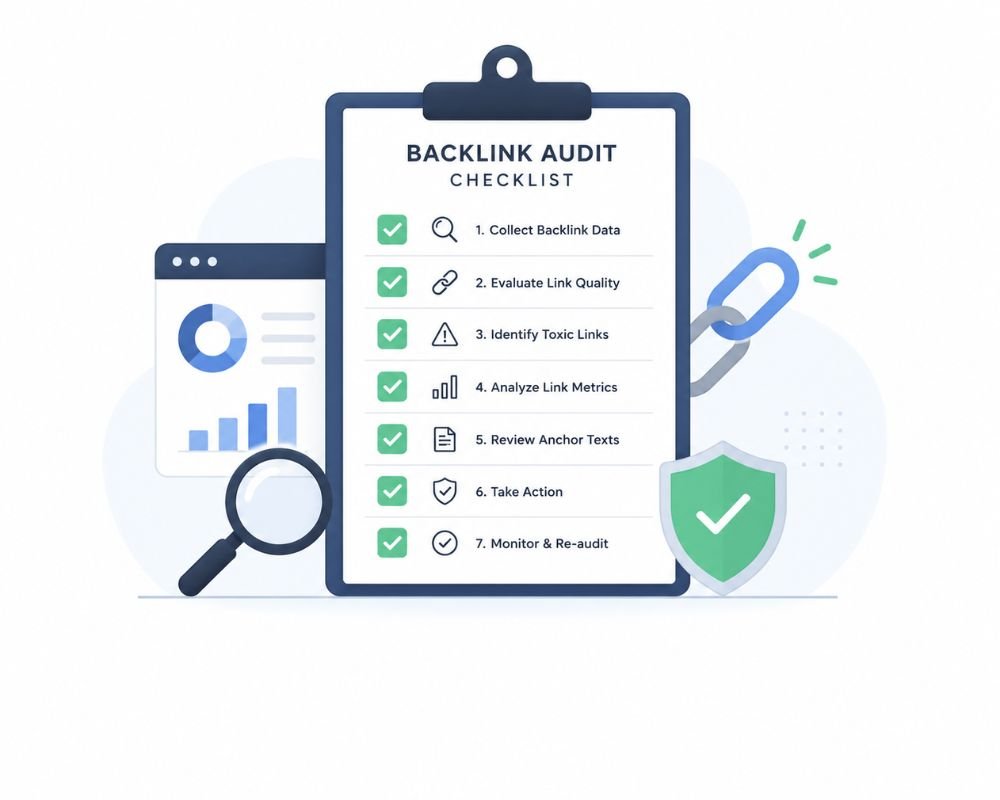
Now you know, but you need a new solution in the form of this framework. This isn’t theoretical. The complete backlink audit workflow structure for enterprise and mid-market sites used by professional auditors.
Your Foundation – Phase 1 – Pre-Audit Setup.
You should first set up your baseline and scope before you start any pull of backlinks. This phase will take about 1-2 hours, but it gives you the advantage of avoiding false positives later.
☐ Select your scope of audit: branded links, non-branded links, regional, global
Do you audit all backlinks or just backlinks to your primary domain? Are you including branded variations (yoursite.com vs. your site vs. yoursite)? Do you want to view global links or by geography? Set this up in the beginning, to have clean data right from the start!
☐ Choose your audit tools (Ahrefs, Semrush, GSC comparison)
Phase 2 – Data Extraction and Initial Analysis
Since no one tool is 100% effective, you will need 2-3 different tools. Google Search Console provides the most authoritative information that Google sees. The backlink index (20B+) is the biggest index of Ahrefs. Semrush has a proprietary toxicity scoring. Draw data from all three, cross-reference, and count only links that appear in more than one source as “high confidence” toxic links.
☐ List baseline metrics: number of referring domains, anchor text ratio, spam score distribution
Write down right now:
Total referring domains: ___
Anchored percentage: ___%
Keyword anchor text Percentage Exact Match: ____%
The average domain authority of the domains that link to you is: ___
Spam Score 1: ___
These are the standards you will be assessed against. After the audit, you’ll be able to review these numbers to confirm that your profile improved as a result of the cleanup.
☐ Record link-building efforts over the past 6 months
How long ago was your previous link-building campaign? What time was it that you were recently in need of a new agency? When did you move from one platform to another? When did you do a site redesign? Document the timeline. t It will be necessary to relate the acquisition of the links to these business events.
☐ If you need to, draw your audit timeline and allot responsibility
Establish a reasonable time frame (1-3 weeks for most profiles) and ensure ownership. If you aren’t doing this with a partner, record the dates when you expect to finish each step. It ensures there is momentum and that the audit does not extend into a 6-month project that will never end.
Why Should I Connect Google Analytics to a Backlink Audit?
If you are familiar with SEO, you might recognize this as the “Why” aspect of the puzzle. It is the “why” part of the equation if you know your SEO. (And How)
This is the part that distinguishes between professional and amateur audits. This is non-negotiable.
The critical link between new links and traffic changes is the relationship between links and the traffic they bring.
This is the question you don’t ask yourself on your old checklist: “Did the number of my organic traffic really change when these links hit my site?”
By the way, Semrush marks a link as “toxic score: 55.” Imagine Semrush labels a link as “toxic score 55.” The first thing you think of is to take it off. What if that link was posted 4 months ago, but you’ve been experiencing steady traffic ever since? Suppose the traffic to this link actually went up a little in the weeks following the creation of this link. If the “toxic” link is not toxic, then it isn’t. It could be a false alarm.
What about the other side of the coin, though—a link that comes in with a spam score of 25 (low risk by automation) but gets a drop in traffic 3 days later? There you have your smoking gun. It didn’t get picked up by automation, but the traffic data did.
That’s why GA4 correlation is the validation layer that’s between the guesses and the facts.
Your guide to the metrics that matter and those that don’t for Step-by-Step GA4 Integration.
The first step is to connect GSC to GA4 (if not already connected).
Log in to Google Analytics and navigate to Admin > Data Connections > Search Console. Link your property. This will take 5 minutes and provide you with organic search data within GA4.
Step 2: Create a “Link Acquisition Timeline.
Record when you got new backlinks:
- January 1-7: Guest post rolled out (8 new links)
- Between 15 and 20 January, PR outreach led to 3 links.
- February 5: Competitor negative SEO attack (24 links from low DA sites)
- February 20: Started using a new link-building agency with 15 new links in one week.
In Step 3: Pull Your Organic Traffic Graph from GA4
(Last 12 Months), You will pull the organic traffic graph from GA4 for the past 12 months.
In GA4, go to Reports > Acquisition > Organic Search Traffic. Set the date range to the last 12 months. Look at the graph. At what time did the traffic increase? When did it drop? At what time was there a leveling out?
Step 4: Overlay Your Link Acquisition Timeline
Now compare. Was there an increase in traffic in early January? That’s what your guest post campaign is all about. Was there a decrease in traffic in the first few weeks of February? That’s the negative SEO attack! With the new connections, did traffic remain level from Feb. 18? That indicates that the new agency’s connections are a drag.
Which metrics to use:
Organic sessions (traffic volume) — Most important.
Impressions in GSC — Reveals to you Google visibility, rather than traffic.
Average position — Indicates whether you are doing better or worse than average.
What is not important when performing link audits:
- Bounce rate (not correlated with link quality)
- Conversion rate (not correlated with link quality)
- Volume of traffic per session (not necessarily link quality dependent)
Practical correlation check: when linking velocity dips or spikes with organic traffic dips or spikes.
Here’s the framework:
Rule 1: 7-30 day lag window
Normally, new links will take anywhere from 7 to 30 days to influence rankings and traffic. For those who bought links on January 15, keep an eye out for traffic from January 22 to February 14. If traffic increased during this period, those links may have been the ones that assisted. When traffic has diminished, they probably did you a favor.
Rule 2: Spike detection of velocity
On the other hand, if your historical average is 8 new referring domains per month, but you get 45 in one month, that’s a 460% increase. The links are most likely to be bad if your traffic decreases by 15-20% in the 2-4 weeks after this increase, even if they have low spam scores.
Rule 3: Anchor text correlation
If you bought 50 links, 40 of which contained your exact-match keyword as anchor text, and then saw a decrease in traffic 2 weeks later, that’s a red flag. Your analytics are saying the same thing as your links!
Real Example: When there is a 50-Link Spike, what is the positive vs. toxic outcome?
Scenario A (Positive Outcome):
Date: March 1-10, earned 50 new links from guest posts (average DA 35, see an adequate distribution of anchor text)
Overall traffic growth: Steady (up 8% from March to April)
Conclusions: These links helped. Continue and support the similar sources.
Case (Toxic Outcome):
During March 1-10, acquired 50 new links from “link farms,” with an average DA of 8; 45 of 50 were exact-match keyword anchors.
Traffic pattern: Was flat in March and dropped 22% in April, and then continued to drop through May
Conclusions: It’s been damaging your links. They must be taken down or eliminated at once. The correlation is evident, and traffic suffers 4-8 weeks after link acquisition.
The difference? In scenario A, the links were examined from a professional perspective (source quality and anchor text distribution). Links for scenario B have been acquired without vetting. However, the validation was conducted in GA4. The traffic data showed the same thing as the link analysis indicated.
Tools for Automation: Alerts for new toxic links when they appear, with traffic decreases.
It’s not something you want to have to do every week. Set up automation.
Semrush Alerts:
- Go to Backlink Audit > Settings > Alerts
- Enable “Notify me when new toxic links are detected.”
- For the Toxic Score, set the threshold to Toxic Score + 50.
- It will immediately notify you by e-mail when links you’re sent that contain dangers are found.
Google Search Console Alerts:
- Tap Settings > Email Notifications
- Set Options: Coverage issues and Ranking drop
- This will notify you if Google is facing indexing issues or a drop in ranking.
Combine both signals:
If Semrush says there is a new toxic link and + GSC shows a drop in your targeted keywords within 2 weeks, you have confirmation! Move this link to immediate removal priority.
Manual check (monthly):
With automation, still remove your GA4 organic traffic graph each month and compare it to your ‘Link Acquisition Timeline.’ This layer detects what automation is missing.
This is where the full backlink audit process comes full circle. Not only are you spotting links that are harmful to you, but you’re also using traffic data to validate toxicity. You aren’t simply cutting links. You are showing that those links were indeed harmful to you.
This is what the difference is between a checklist and a strategy.
Step-by-Step Backlink Audit Checklist for Actionable Cleanup
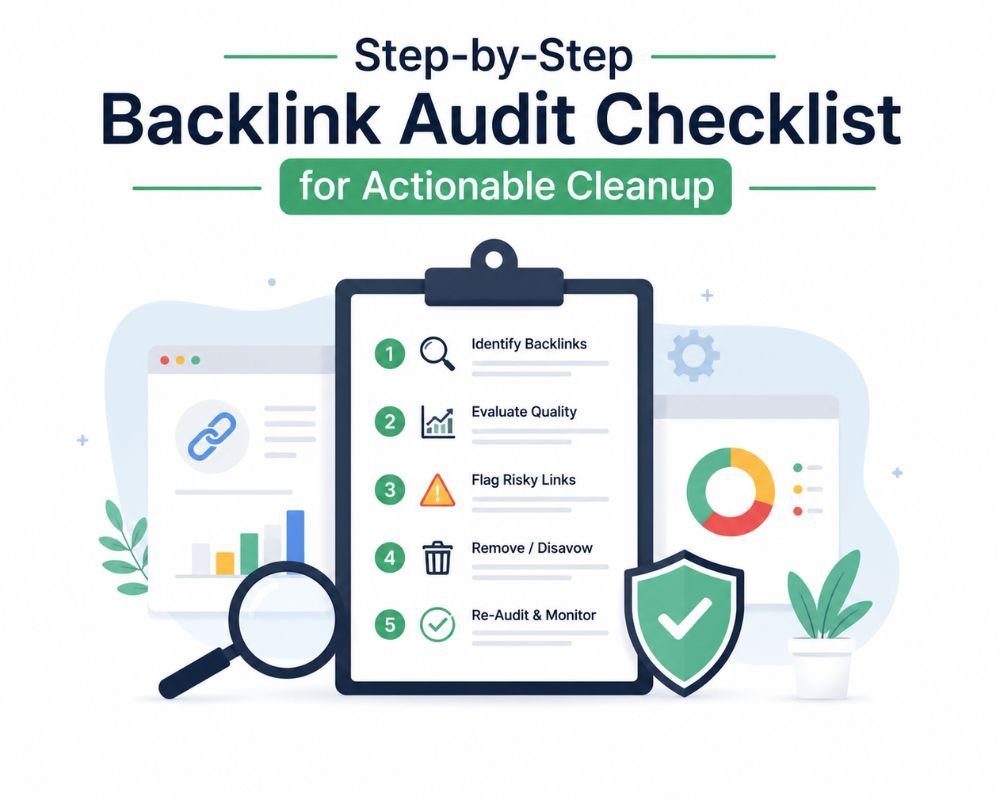
This is an initial step in linking your various links.
Step 1. Categorize your various links (the GREEN, YELLOW, and RED framework).
Now you have data. Time to categorize. Apply this to make a distinction between links that deserve to be acted upon and links that deserve patience.
GREEN (Keep & Leverage)
☐ Social media influencers and bloggers with a relevant niche and editorial sources.
☐ Links with positive traffic correlation (traffic spiked after acquisition)
☐ From thought leaders, industry publications, university domains
These are your possessions. Don’t just keep them, promote them! Return to where it came from as required. Tell them in subsequent outreach. Growing green links is beneficial over the long term.
Don’t act; monitor (yellow).
The relevance is mixed (and it doesn’t score high enough to be classified as spam, < 30).
☐ Cause no harm, or little harm, but don’t help much either.
☐ Action: bi-annual re-assessment only
Yellow links represent most profiles. They’re neutral. Getting rid of them chews up time. It’s a waste of effort to promote them. Rather, schedule them to review every 3 months. Occasionally, a yellow link grows green. At times, it exhibits toxic symptoms and turns red. But it’s too early to act.
RED (Remove Immediately)
☐ DA/DR <10, niche, spam score 40+, keyword-stuffed anchor text
☐ Text links on hacked sites, PBNs, or link farms
☐ Traffic does not correlate after link acquisition
Red links are bad links. The more of them there are, the greater the risk. You should be removing these 1st.
Step 2 – Prioritization Matrix: What to Act On First
You will most likely have 20-100 red links. You can’t contact all at once. Prioritize strategically.
☐ Medium priority (Act within 7 days): Semrush Toxic Score 50+, DR<5, exact-match anchor 50%+ ratio
These are your smoking guns! They are most likely harmful, and waiting will only increase the likelihood of a penalty.
☐ Medium priority (Act within 30 days): Spam scores 30-50, low authority directories, niche that is not related to your site
These are likely to be indicators of toxicity. Learn first, do later.
☒ Low priority (Annual review): Low traffic impact, neutral spam scores
This could be enhanced or diminished in the future. No urgency.
☐ Develop a list of removal actions (outreach vs. disavow tracking)
Record each red link – which tier, which action (outreach first or disavow immediately), timeline expected.
Step 3. Outreach and Removal Tracking
The highest-priority links are contacted first.
☐ Send individualized removal requests (not standard letterhead)
Personalize each email for 2 minutes. Talk about a specific thing on their site. Demonstrate that you have been to the page! Outlets for generic material have a 3-5% response rate. Personalized gets 10-20%.
☐ Report on response rate (typical outcome: 10-20% success/2025 outreach data)
Send 100 e-mails, get 10-20 removals back. It’s not a failure; it’s normal. That’s why you have the disavow tool.
☐ Refer back after 10 days (and once more)
There are professional follow-ups. Two are pushy. There is harassment. Follow it up, then move on.
☐ Keep a record of the links that have been deleted and unresponsive links to be disavowed later.
Record all of this in your spreadsheet. This will be the file input to disavow.
Step 4 – Google Disavow File Preparation (When Outreach Fails).
After a successful outreach, you will have a list of unresponsive domains. Now you disavow it.
☐ Compile a list of domains that are 80%+ sure to be toxic in a .txt file
Conservative is better. It’s better to over-disavow (remove 50%) than under-disavow.
☐ Use: domain:spamsite.com or individual URLs without a domain: prefix
Format matters. Google’s parser doesn’t like it. It won’t process any files if you get a syntax error.
☐ Disavow links using Google Search Console
Upload your file. The Google process may take 48 hours or less.
☐ Mark a reminder for recovery monitoring (recovery is 4-12 weeks)
It will take time to see results. The difficult part is waiting.
Backlink Quality Audit Checklist: Beyond Domain Authority
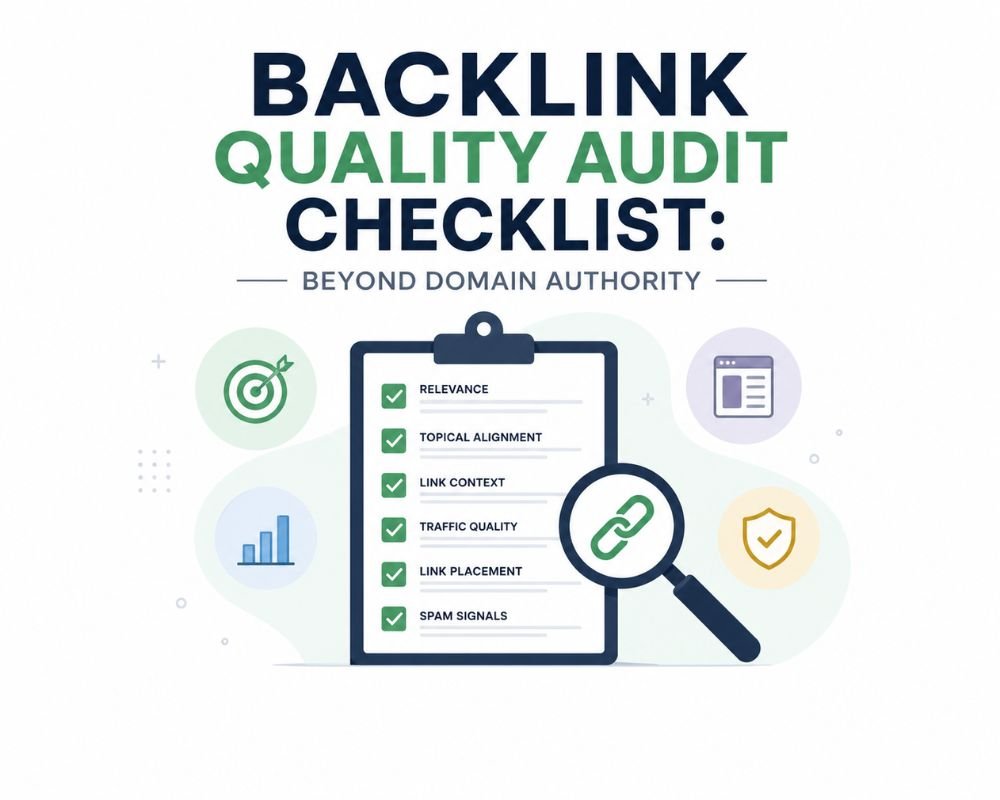
The backlink quality audit checklist is not about the domain authority. The Backlink Quality Audit Checklist is not limited to domain authority.
The concept of domain authority is no longer an important quality indicator. This quality audit checklist for backlinks will help you understand what is actually important for 2025-26.
Data that is more important than DA
Referral Traffic Analysis: Is this link source referring traffic? (Yes = quality, No = warning sign)
Good sites with a DA of 30 and that drive referrals are better than DA 50 sites that do not. If there is proof of traffic correlation with a link, it shows that it has value.
Contextual relevance score: Is the link in relevant body content or a sidebar/footer? (Body = higher quality)
A link in the footer of a totally unrelated page is less valuable than a link within the body text of an article that is related.
Link velocity pattern: Has this domain just gained 100 new links? (Yes = possible PBN network)
Any legit site has regular link building. A sudden spike indicates that the site was purchased or has some network involvement.
Quality of outbound links: Is the domain that contains the link a spammy domain? (Indicates network)
Go to the site that referred you and look at the links to other sites they have. Are they all legit domains, or do you see any trends that suggest this is part of a legitimate spamming network?
Check for thin content, poor UX, or too many ads on the actual source page (page-level metrics)
A site that has high Domain Authority but has little or no content on the particular page that you are linking to is not a high-quality site that you are linking to.
Quality Assessment Checklist for manuals
Automation handles 80% of it. This is a step-by-step backlink audit checklist to tie up any loose ends.
☐ Check the referring page (Is it a real page or an automatically created page?)
If the page feels like an AI dump, has too many words, or is just obviously underfilled, that’s a red flag.
☐ Review domain WHOIS information (hidden = questionable)
Valid sites (repeat) will show WHOIS data transparently. A red flag is hidden WHOIS data.
☐ Do outbound links have a spammy appearance (are all outbound links to spammy sites?)
Go to the site’s homepage. Click on 5-10 random pages. Look at their links pointing to other websites. Are all of them spam networks or legitimate varieties?
☐ Rate the relevance of the page content (Was the link relevant in the context of the article?)
If the site is legitimate, was the link there for its own merits, or did it look like a “paid placement”?
☐ Look for membership/network indicators (footer link networks, syndication rings)
Is there a list of suspicious networks in the site’s footer? Is it involved in blatant link exchanges?
Backlink Audit Template Essentials
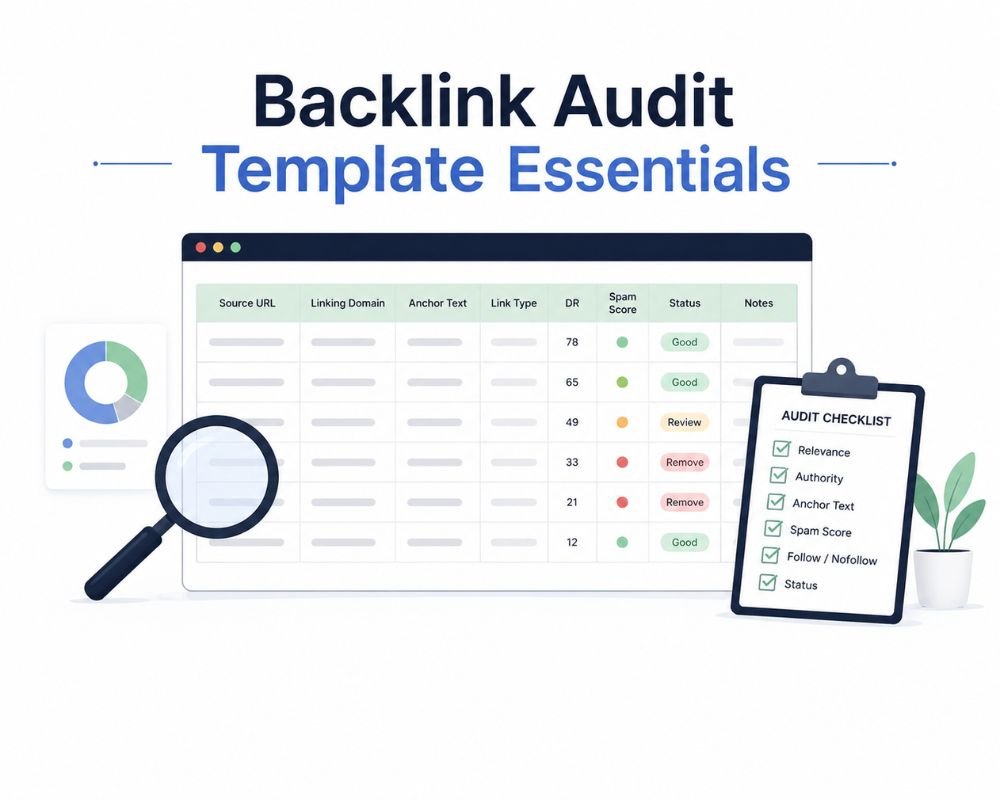
Your backlink audit template is your control center. This will be your guide to clean up and recovery.
The minimum viable template columns.
Make a spreadsheet that has these columns:
Referring Domain | Domain Authority | Spam Score | Anchor Text | Link Type (Dofollow/Nofollow) | Relevance Assessment | Category (GREEN/YELLOW/RED) | Outreach Status | Date of Action | Recovery Notes
That’s it. Ten columns. All the rest is detail bloat. These 10 fields let you monitor what matters: the link itself, its metrics, its status, and your actions.
Why This Template Avoids Expensive Blunders
Avoids duplicate outreach efforts by providing a single record. Not sending the same webmaster two emails, since that destroys trust (kill kill kill).
Sets up accountability, audit trail: documents the date you contacted them, the date they removed the link, and the date you disavowed the link. If Google requests it (in the reconsideration request), you have proof.
Facilitates teamwork on large profiles: If your agency has 3 people working on the same audit, this template will ensure they don’t step on one another’s toes.
Monitors return on investment from cleanup: Measure pre- and post-cleanup metrics to compare your baseline and post-cleanup metrics. Did domain referrals get better? Did the anchor text ratio return to normal? Did traffic recover? All of your documents are captured in your template.
Conclusion
Your backlink audit checklist has just changed! You now know the difference between outdated frameworks and professional audits—and that’s GA4 correlation, velocity analysis, and anchor text drift assessment.
The reality is this: Every week that passes, you lose rankings. Your competitors are doing an intensive audit at the moment. They’re locating the bad links. They’re preventing penalties.
You have the framework in place. You’ve got the time! Do this week: Import data, classify links, check against GA4, send outreach. Today, a full backlink audit checklist is essential. It’s a competitive necessity.
Stop overthinking. Start executing.