Technical SEO & On-Page SEO Guide for Beginners 2026
Most beginners and small business owners leave their money on the table, and they’re not even aware of what they leave. Your competitor optimized the website and ranks high in search engines. While you think, should I focus on technical SEO or on-page SEO?. I know it’s confusing, but it costs you traffic. The technical SEO and on-page SEO guide for beginners 2026 explains that one focuses on the website’s foundational infrastructure, while the other focuses on optimizing the content visitors actually see.
When beginners start practicing SEO, they optimize for keywords but ignore page speed. This is where the technical SEO guide helps them. They also confuse how to fix technical issues of crawlability and indexing. Technical SEO for SaaS websites is especially helpful if your niche is software-as-a-service.
SEO statistics show that “89.1% of traffic is driven by Google, underscoring the importance of SEO.” In this on-page SEO guide for beginners in 2026, you’ll find how to optimize your content, which is tailored to Google guidelines, and understand what you’re offering. But great-quality content is only half the battle until you optimize the website’s performance.
That is why we include a technical SEO for beginners step-by-step guide that ensures your site is fast, secure, and easy for bots and crawlers to access.
By the end of this article, you’ll master website optimization techniques for beginners and perform the SEO tactics on professional websites, giving you a tool for rankings and building high authority.
What Is Technical SEO vs On-Page SEO?
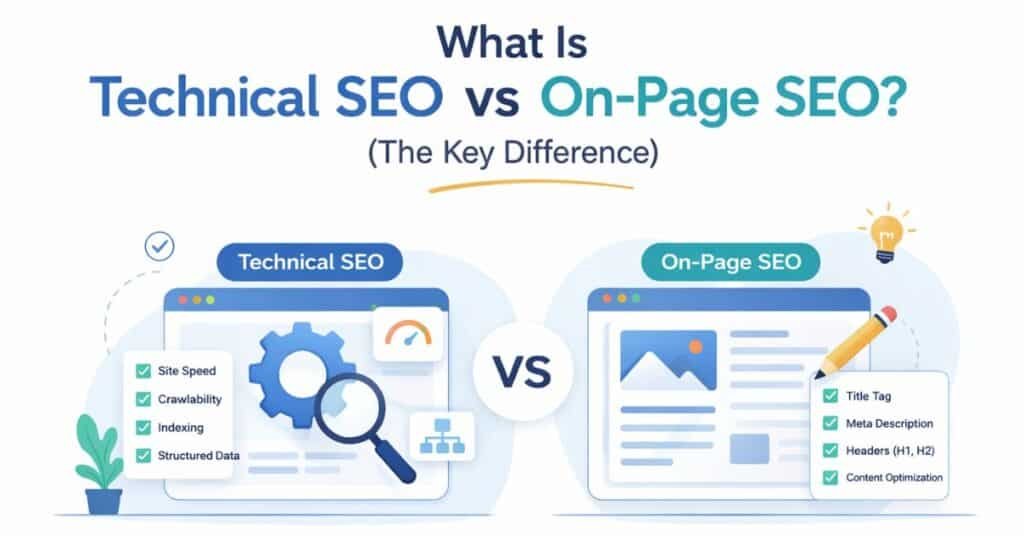
Before you optimize your website incorrectly, it’s time to check the on-page, which provides a broad explanation of website optimization that actually matters to Google. Technical SEO vs. on-page SEO can be a bit confusing, leading small businesses to lose 1,000 visitors. That’s why a technical SEO beginner’s step-by-step audit is the most conscious step a small business can take.
Understand the technical SEO
Technical SEO is the invisible backbone of the website. Technical SEO refers to the act of ensuring the backend infrastructure of your site, such as site speed, mobile responsiveness, SSL certificates, XML sitemaps, and crawlability, is optimized to ensure that Google crawls, indexes, and ranks your pages.
Imagine it to be the base of a house. With the most beautiful interior design you can have, however, if the foundation is cracked and the plumbing is not working, nobody is moving in. The technical SEO is all about what goes on behind the scenes, the back-end infrastructure that describes to Google (and other search engines) whether your site is worth crawling, indexing, and ranking.
Technical SEO consists of the following:
- Site speed
The speed of your pages (mobile, less than 3 seconds; desktop, less than 2 seconds is the goal)
- Mobile responsiveness
Does your site appear nice and work on phones and tablets?
- SSLs (HTTPS)
Google prioritizes secure, encrypted links.
XML sitemaps—maps to aid Google in finding all your pages.
- robots.txt
Technical instructions to search engines on which pages to visit and which to avoid.
- Core Web Vitals
Measures of user experience (Largest Contentful Paint, First Input Delay, Cumulative Layout Shift)
- Crawlability
Can Google crawl your content?
Why is this important to beginners?
When your site has technical issues, Google cannot properly index your content. You might be hosting the most brilliant article on the internet, yet your site is sluggish, not mobile-friendly, or full of crawl errors, and Google will not rank your article.
Understand On-page SEO
What your readers (and Google) see is on-page SEO. Here is where you maximize the visible content and HTML on your pages. It is the combination of excellent writing, the proper placement of keywords, and proper formatting that can inform Google that the page is relevant to the user’s search.
On-page SEO includes the following:
Title tags and meta descriptions: The titles and brief descriptions that show on the search result page.
Positioning of keywords—Of course, the placement of your target keywords in headings, open paragraphs,, and body text.
Quality of content – Complete, original information that answers the problem of the reader.
- Internal links—linking one page to another on your site, which spreads the authority and holds the readers’ interest.
- Heading structure—Correct use of H1, H2, and H3 styles to design content logically.
- Image optimization—Alt text, file names, and compression to speed up loading.
- Schema markup is a snippet of code that helps Google understand what your content is about.
The on-page SEO guide 2026 begins with the understanding that search engine optimization is not about deceiving Google, but about making content easy to read, structured, and understandable for both humans and machines.
The connection: Technical SEO lays the groundwork; on-page SEO lays the visibility. You must have both.
Website Optimization Techniques for Beginners
Now, let’s get practical. I will explain the best website optimization techniques to make your website appear to Google bots for crawling and indexing, and boost your ranking. If you don’t have time for 47 optimization tactics, use these website optimization techniques for beginners. By implementing this technique, you easily fix technical SEO issues and rank higher than your competitors.
Phase 1 – Technical SEO Foundations
Step 1: Audit Your Site Speed
According to Google’s own statistics, websites that take over 3 seconds to load lose a quarter of their traffic. Speed matters—a lot.
What to do:
Click on Google PageSpeed Insights (this is the official Google tool, thus the source of authority)
Please input your website address.
Look at the “Core Web Vitals” section.
Your targets:
Mobile: <3 seconds
Desktop: <2 seconds
Quick action items:
Reduce image size
Compress images. Use tools such as TinyPNG or in-built WordPress compressing extensions to compress images by 50-70% of their original size.
Allow caching
Ask the browsers to cache static files (typically a one-click option in most hosting panels). Minimize CSS/JavaScript – This helps eliminate unnecessary code that slows rendering.
The majority of the site speed issues can be resolved after 2-3 hours of work. Don’t let this simple issue tank your rankings.
Step 2: Be Mobile Responsive.
The following stat should make you shudder: 60% of all Google searches are made on mobile devices. You are losing more than half of your potential traffic if your site is not mobile-friendly.
What to do:
Use a mobile-friendly tester to check your site
Watch out for red flag buttons that are too close together, too small, or that require horizontal scrolling.
In case there are problems, you can use the following quick fixes:
- Responsive design to have your layout change with screen size.
- Clear fonts—body text should be at least 16 px.
- Touch-friendly buttons—at least 48 px x 48 px to prevent fingers from clicking the wrong button.
This is automatically handled by most current website builders (WordPress, Shopify, Wix), but it is always a good idea to test.
Step 3: Fix Crawlability Issues
Unless Google can crawl your site, it will not be able to index your content.
What to do:
- Develop and post an XML sitemap—This is a map of your website to Google.
- WordPress: Yoast SEO (free version is good)
- Other platforms: View your hosting provider’s control panel.
- Create a robots.txt file—instruct Google on the pages to be crawled and those that should not be crawled.
- Leaving the default is okay, but make sure that you are not blocking vital pages.
- Check Google Search Console—here you can see whether Google has crawl errors.
- Find “Coverage” reports.
- Repair any 404s or robots.txt block warnings.
- Fix technical SEO problems with step-by-step instructions that guide you through these solutions.
Phase 2: On-Page SEO Optimization.
Step 4: Strategically Target Keywords.
Keyword placement rules:
- H1 tag—Your major heading must include your main keyword (do not force this)
- First 100 words—Use your target keyword in the first paragraph.
- Meta description: This is a keyword to demonstrate relevance in search results.
- H2 and H3 titles—Weave in supporting keywords such as “on-page SEO vs. technical SEO” or “technical SEO step-by-step for beginners.”
- All through the body text—Relate terms and variants with each other (use them, not push, 47 times per page)
The golden rule: Don’t emphasize that you would not put in a reader. Stuffing E-A-T is one E-A-T killer, and Google punishes it.
Step 5: Compose a Clickable Meta Description.
Your meta description is the 160-character snippet that appears below your title in search results. It is not only up to Google but also to human beings whether to access your link or not.
Format that works:
- Word count: 150-160 words (including spaces).
- Include: Primary key, advantage, soft call-to-action.
- Keep it friendly—people, not robots, read meta descriptions.
Example:
“Our 2026-step guide to technical SEO for beginners is a complete guide to learning technical SEO with no previous experience required. Fix site speed, mobile problems, and crawl errors today.
This example includes:
- Keyphrase: “technical SEO for beginners.
- Benefit: “step-by-step guide.”
- Trust signal: 2026 (new content)
- CTA: “Speed up the site, mobile problems, and crawl errors.
Step 7: Organize Content Using Semantic HTML.
The AI used by Google has become disturbingly contextual. Assist it with organizing your content.
What to do:
- One H1 per page – This will be your main subject title.
- Make an order of H2 and H3—This establishes a logical structure that Google comprehends.
- Bold important terms—Terms you bold are a little heavier; apply them to major definitions.
- Use lists and tables—Google is fond of structured data because it is easy for AI to process.
Why this is important to AI overviews: The AI-generated results on Google search engines prefer well-structured pages. In AI Overviews, one can find more lists, tables, and well-formatted definitions. So your on-page SEO checklist 2026 should always include proper formatting.
I shall write:
You should optimize your site’s speed, make it mobile-friendly, and address crawlability issues.
Write it as a list:
The three components of technical SEO:
- Speed up the site (goal: mobile less than 3 seconds).
- Make it mobile-friendly (check with Google Mobile-Friendly Test)
- Correct crawlability problems (examine Google Search Console to identify mistakes). This identical material, but formatted correctly, is more frequently featured in AI Overviews.
On-Page SEO Guide for Beginners 2026
Now, you know the distinction between technical and on-page optimization. You have checked the speed of your site, mobile responsiveness, and crawlability. It is now time to master the content side of the equation.
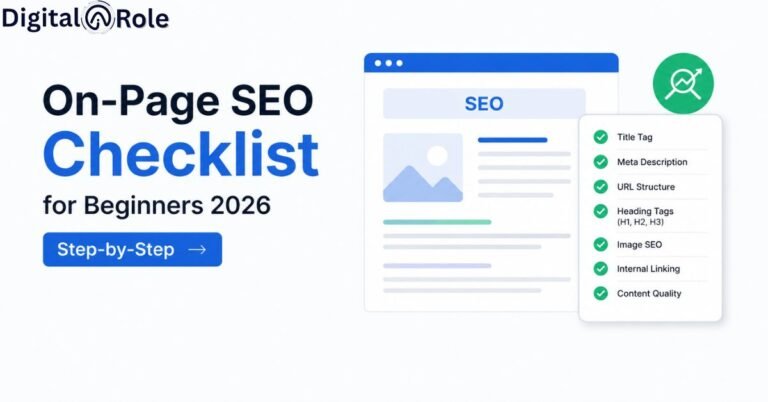
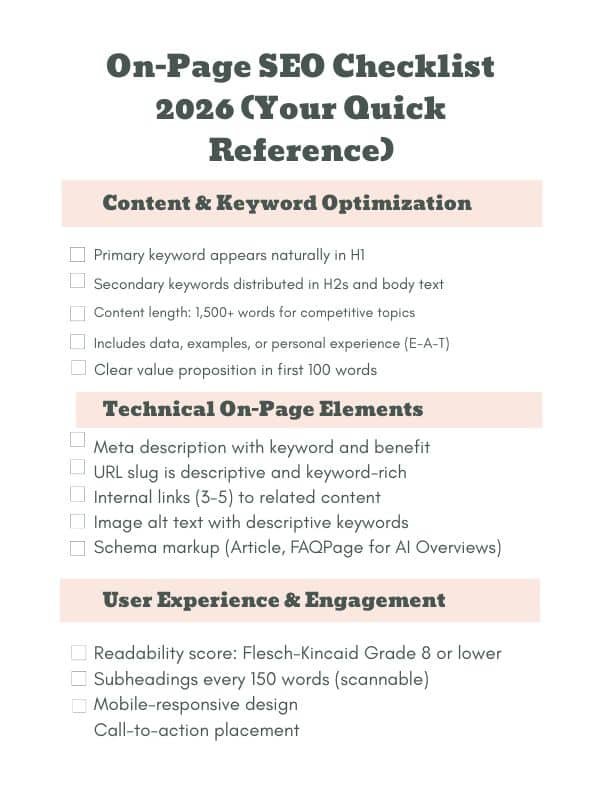
This beginner on-page SEO guide for 2026 is written as a convenient checklist you can use every time you release content. Consider it your quality control gate—go through this list before clicking publish.
Content & Keyword Optimization.
Here, you ensure Google knows what your page is all about.
The primary keyword is used in H1—Your main heading is supposed to contain your target keyword (in this case, it is “Technical SEO and On-Page SEO Guide for Beginners 2026).
- H2 and body text secondary keywords should vary, such as on-page SEO vs. technical SEO or technical SEO step-by-step for beginners, naturally spread throughout.
- Content length must be 1,500+ words for competitive topics—search engines favour comprehensive content. Articles of 300 words will not rank on competitive keywords.
- There is data, examples, or personal experience—This is your E-A-T signal. Actual case studies, statistics, and demonstrated results are always better than generic advice.
- Good value proposition within the first 100 words – Explain to the readers the reasons why they need to hang around. You will learn X, not do Y, and achieve Z.
- 1-2% keyword density—do not make your keyword a part of every sentence. Natural language wins
Beginner hack
Check tools like Semrush or Ahrefs to get an idea of which keywords competitors use. Then of course, weave those into your content.
Technical On-Page
- These are the behind-the-scenes HTML elements that tell Google about relevance, although readers do not see them.
- Meta description including keyword and benefit – 150-160 characters containing your main keyword and a definite benefit. Sample: “Technical SEO 2026 guide: learn how to do it in steps; no experience required.
- URL slug is informative and rich in keywords—use /technical-seo-on-page-seo-guide-beginners/ instead of /blog/123. There are small gains in ranking and improvements in click-through rates for descriptive URLs.
- Internal links (3-5) to related material—Link to your cluster articles:
- Guide to technical SEO for beginners.
- On-page SEO vs technical SEO
- Technical SEO problems solution.
On-page SEO checklist 2026
- Alt text of image with descriptive keywords—Do not write image1.jpg, write a technical SEO checklist example for small business websites.
- Schema markup (Article, FAQPage) – Incorporate structured data indicating to Google that it is an article or that it is a page with frequently asked questions. It is done with WordPress plugins such as Yoast SEO. The hierarchy of headings is appropriate; there is one H1 and several H2S and H3S under it. No missed levels (no H1 → H4)
Correct structure:
H1: Technical SEO & On-Page SEO Guide for Beginners 2026
H2: What Is Technical SEO?
H3: Definition and examples
H3: Why it matters
H2: What is On-Page SEO?
H3: Definition and examples.
H3: The way it works with technical SEO.
User Engagement and Experience.
Google now gauges users’ genuine interest in your content. These considerations are important to rankings.
Readability score:
Flesch-Kincaid Grade 8 or below—A person with an 8th-grade level of education or below can read your content. This does not imply dumbed down; it implies plain speaking. Check using the Hemingway Editor (a free tool).
Headings after 150 words
Divide long paragraphs. Readers skim; they do not read every word. Subheadings enable them to find what they require quickly.
Mobile-responsive design.
Basing your content formatting on phones should be attractive. Enhanced with lists, tables, and brief paragraphs, they are easier to view on mobile than long blocks of text.
Location of the call-to-action: Do not place your call-to-action at the bottom. Include them throughout:
- Post introduction: Ready to learn? Read on.”
- Mid-article: Do you want to audit your site now? Use this tool.”
- At the bottom: “Download our checklist” or Book a free consultation.
Load quickly on mobile.
Despite the fantastic content, the page takes 5 seconds to load, and users bounce. Compress images and minimize code.
How to Build E-E-A-T into Your SEO Strategy
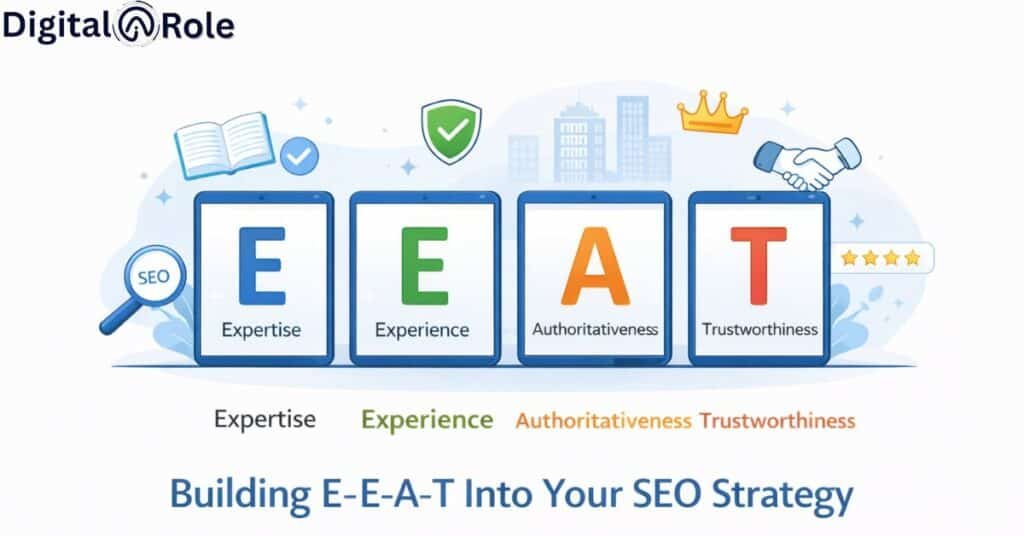
Because of its ranking system, Google places more emphasis on E-EA-T (experience, expertise, authoritativeness, and trustworthiness), particularly in competitive niches and informational content. And with no credibility cues in your content, even flawless keyword optimization will not rank in the long term.
Experience & Expertise
To create the actual SEO impact, go beyond theory and demonstrate evidence of experience:
- Give personal case studies that can be quantified (e.g., “Grew organic traffic by 120% in 4 months with on-page fixes)
- State the number of years of experience, niche or certification.
- Provide real-world examples, particularly small businesses or scenarios that are easy to understand.
Pro Tip: Content backed by firsthand experience performs better in Google rankings and with AI-generated synopses.
Authoritativeness
Power is established when your content is linked to trusted ecosystems.
- Connect to high-authority sources, such as Google’s official documentation on SEO (e.g., Google Search Central)
- Data or reference information from reputable SEO firms such as Ahrefs or SEMrush.
- Provide evidence-based statements rather than opinions.
Example:
Industry research by Ahrefs shows that more than 90 percent of content receives no organic traffic—making the use of authority signals very relevant.
Trustworthiness
- Rankings are turned into clicks and conversions through trust.
- Make restrictions clear (e.g., Results can vary based on competition and age of domain)
- Do not resort to black-hat SEO or old-fashioned tricks.
- Make material current with noticeable changes (e.g., Updated: 2026)
Signals to Add:
- Bio and credentials of the author.
- Contact or about page.
- Actual figures, not inflated statements.
How to Win AI Overview Features
Strategy 1: Use Question-Answer Format (Structure H3S as FAQs)
Google’s AI is fond of simple questions and answers. Organize your material so it answers the question people are asking. Instead of writing:
“Technical SEO includes numerous elements. One of them is the site speed…
Write:
Q: Why is site speed important for technical SEO?
Ans: Site speed is vital because Google emphasizes user experience. Web pages that load in less than 3 seconds are 50% more likely to be converted than those that take 8 or more seconds. Page speed is a ranking factor directly measured by the Google Core Web Vitals algorithm.
See the difference? The second version is:
- Formed in a structured way as a question and answer.
- Includes a certain advantage (50% improvement in conversion rate)
- Cites a ranking factor (Core Web Vitals)
- Answers completely in 3 sentences
Strategy 2: Clarify Key Terms (AI Loves Semantic Clarity)
Defining a technical term should be done when it is first used. AI breaks down these definitions to recognize context.
Example from this article:
Technical SEO refers to the act of ensuring the backend infrastructure of your site, such as site speed, mobile responsiveness, SSL certificates, XML sitemaps, and crawlability, is optimized to ensure that Google crawls, indexes, and ranks your pages.
Vs.
Ranking is important to technical SEO.
The former one clearly defines the term. This definition can be extracted by AI and applied to learn more about your article.
Strategy 3: Use Tables & Lists (Structured Data Performs Best)
Strategy 4: Answer Briefly (First 60 Words = Featured Snippet Potential)
Google uses AI to extract snippets (60-80 words) from pages to display in search results and AI overviews. Write your important answers in this length.
Examples of your audience:
Q: What is the difference between on-page and technical SEO?
Ans: On-page SEO optimizes on content and visible HTML (keywords, headings, meta tags, internal links) that have a direct bearing on relevance. Technical SEO is the optimization of the backend infrastructure to ensure site speed, mobile responsiveness, crawlability, and SSL security so Google can index what you have. The two should collaborate to rank.
Word count: 56 words. Good to include in an AI Overview feature.
Why this works:
- Gives a full answer to the question.
- Stays under 60 words
- Has parallel structure (easier to process with AI)
- Contained both terms that users were searching for.
Strategy 5: Respond to the question behind the question.
When users type the query “on-page SEO vs. technical SEO,” they are not only seeking a definition but rather
- Is it a requirement that I do both?
- Which of them should I pay attention to first?
- What is their joint action?
Your AI overview material should cover all three.
❌ Bad answer:
On-page SEO is a keyword thing; technical SEO is a speed thing.
✅ Good answer:
SEO works together. On-page SEO is built on top of technical SEO (a fast, crawlable site), which provides the foundation upon which Google must operate. On-page optimization. On-page SEO is built on top of technical SEO (a fast, crawlable site), which forms the foundation on which Google must operate. You need both, but you need technical SEO first, and then on-page optimization.
The second answer:
- Defines both concepts
- Explains their relationship
- Elucidates the meaning of neglecting either one.
- Provides a definite priority order.
Conclusion
The art of search space involves a blend of high-quality content and a solid backend. With this Technical SEO and On-Page SEO Guide 2026, you have made the first giant leap in dominating the search results. SEO is not a one-time affair but an ongoing process of perfecting your message and optimizing your site.
Following the techniques outlined in this On-Page SEO Guide 2026, the beginner’s version will ensure that your content is well-optimized for users and algorithms. Combine those efforts with our step-by-step framework, Technical SEO for Beginners, and you remove the friction that, in most cases, prevents great websites from reaching the first page.
It is all about being consistent. By implementing these beginner-friendly techniques to optimize your websites, you will observe your authority and rankings increase. The time has come to use these insights in practice; now is the time to start optimizing and see your traffic skyrocket!